Self Hosting
This website is self-hosted. Here is where it is hosted:
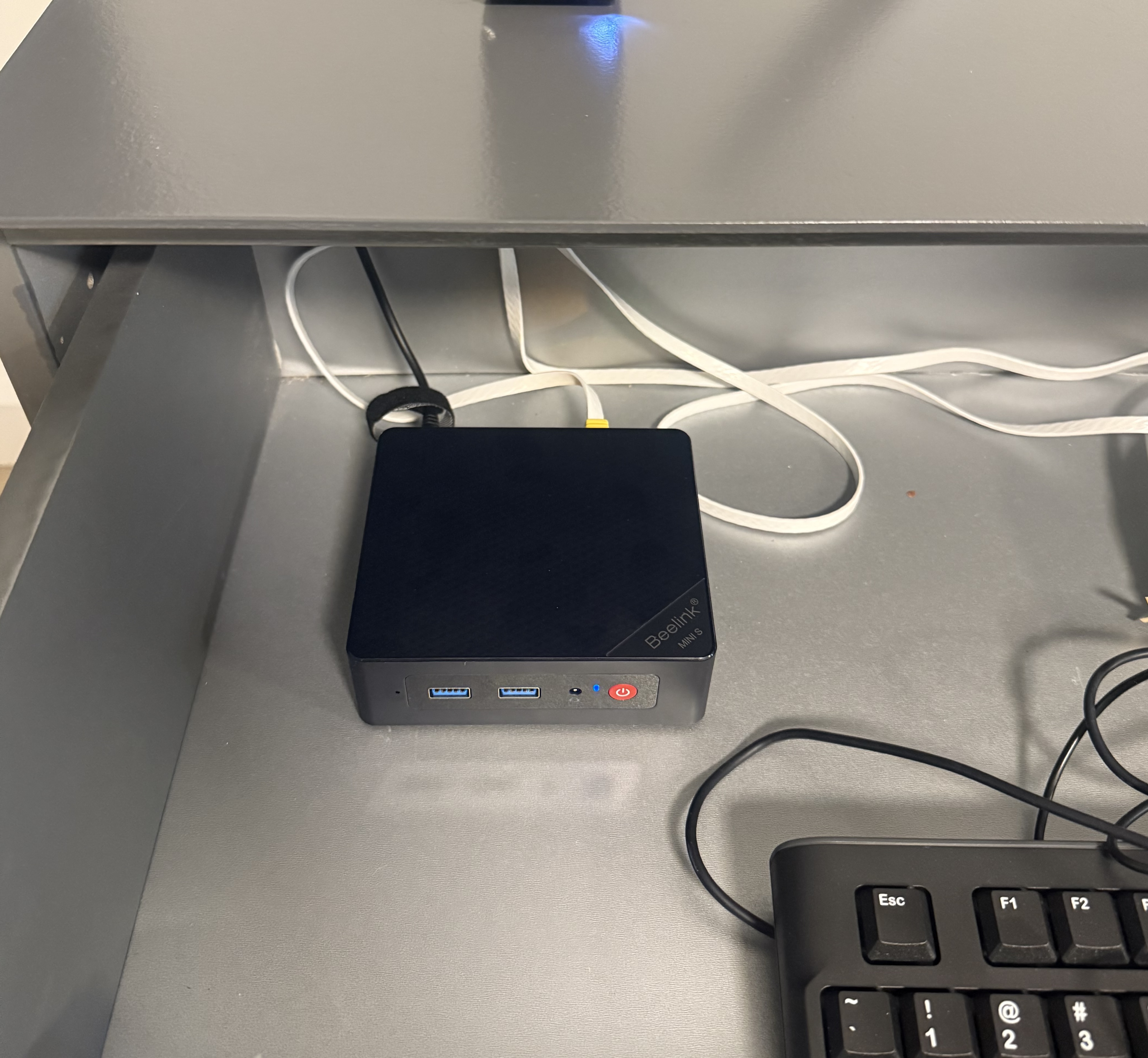
A $0/month server setup at home.
Requirements
Specs
- Alder Lake-N N95 CPU
- 16GB DDR4 RAM
- 500GB SSD
Setup
- 1.Flash Ubuntu to the USB stick and use that to install Ubuntu on the computer. I used 24.04 LTS server version and it works well.
- 2.(Optional) Setup your router to assign a static IP to the computer, such as 192.168.1.100. Then you can always SSH into the computer with your LAN using that static IP.
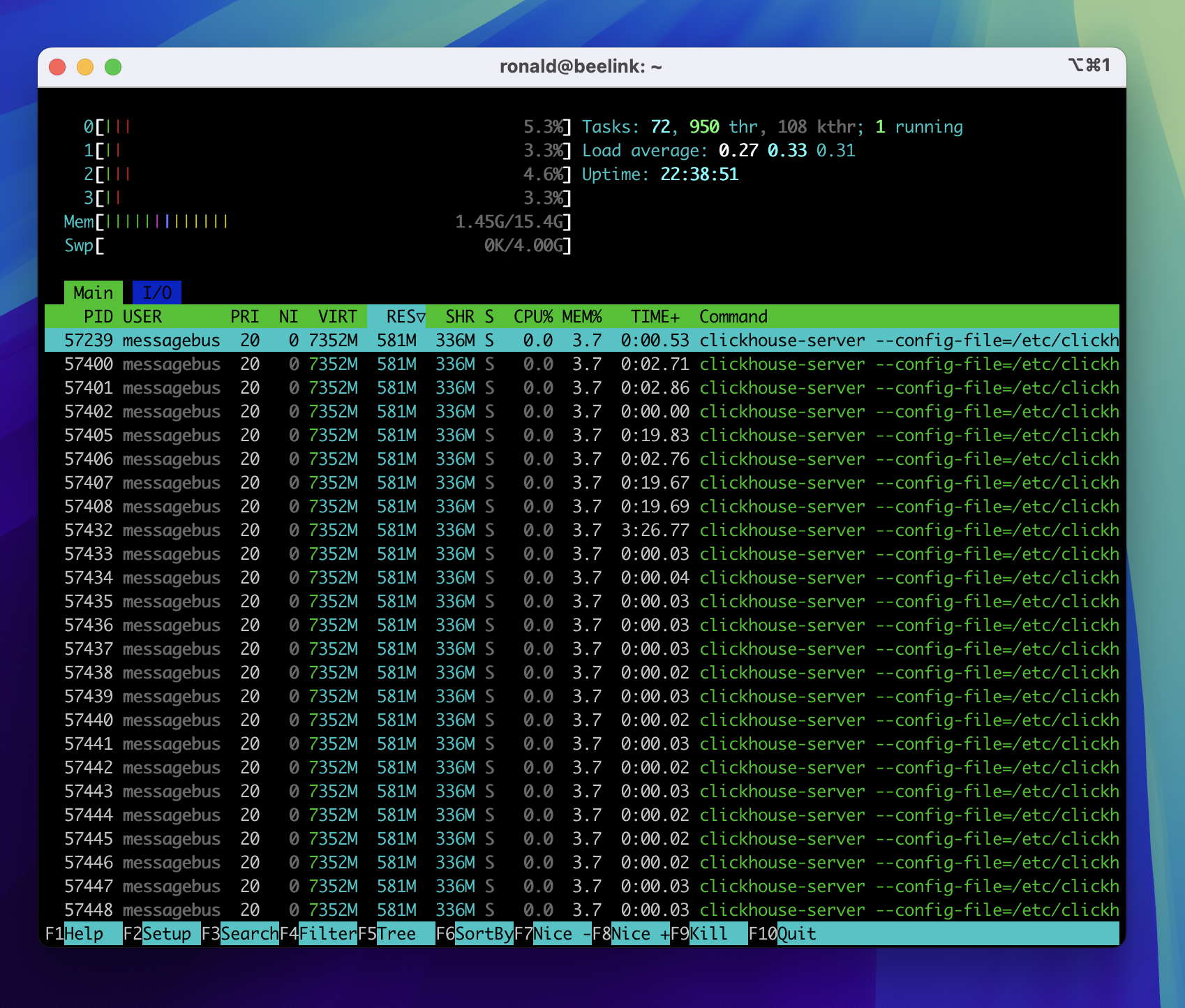
Running htop on SSH session via LAN. Plenty of memory to run multiple sites and projects.
- 3.Install Tailscale on the server and your remote computer. Then you can SSH into the server from anywhere.
- 4.Install nginx, deploy your website, route traffic to the server.
- 5.Set up a Cloudflare tunnel on your server and point it to the port where your website is running. Then you can access your sites from your domain, even when you have a dynamic IP with your home ISP.
- 6.Use the TAPO smart plug to remotely turn on/off the server as needed. You can edit the BIOS configuration so that the computer boots automatically when power is connected.
Performance
Some might assume self-hosting is slow. Here's a ping test from various countries to the server in the Netherlands:
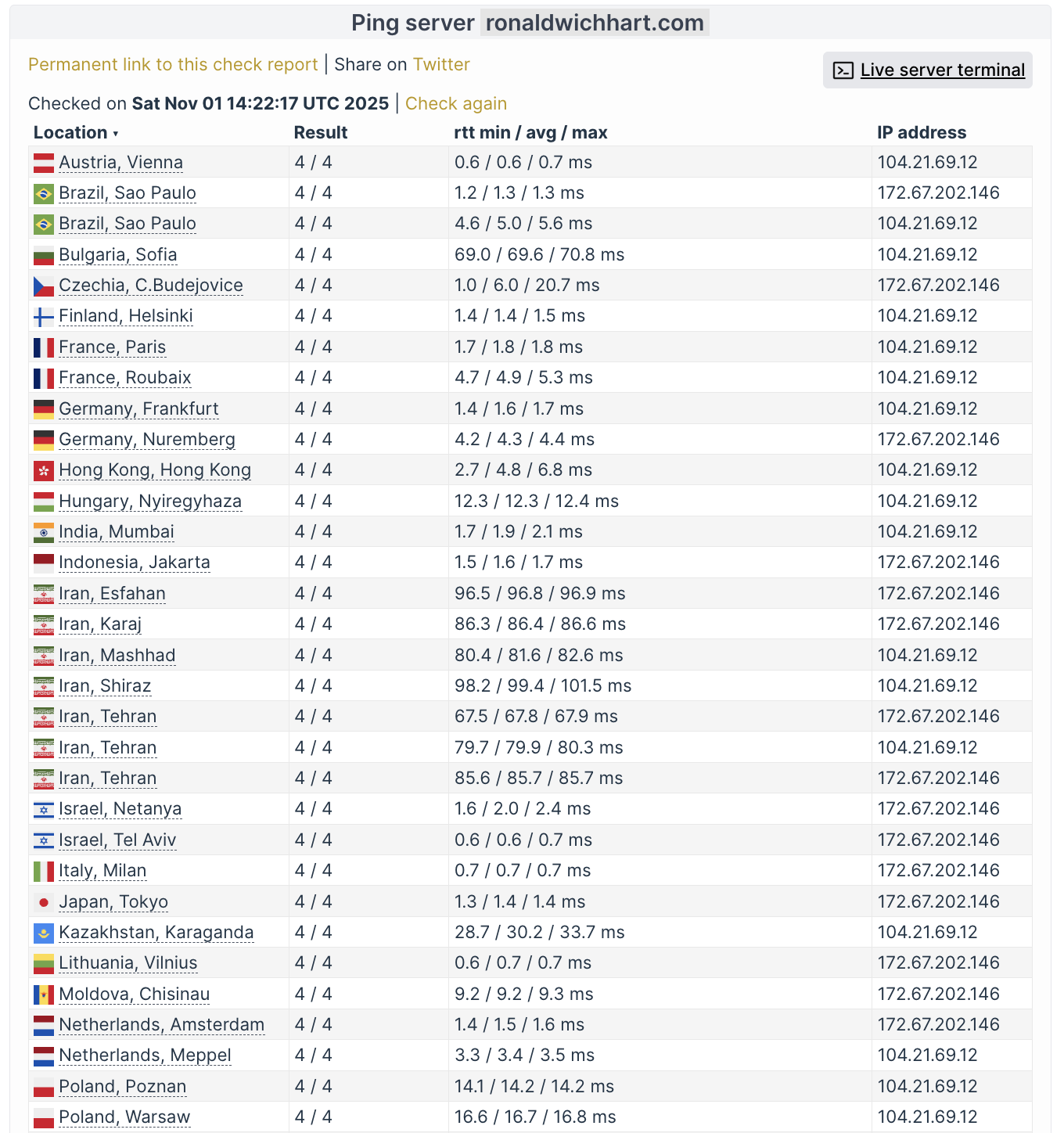
Not bad for a $0/month home server.